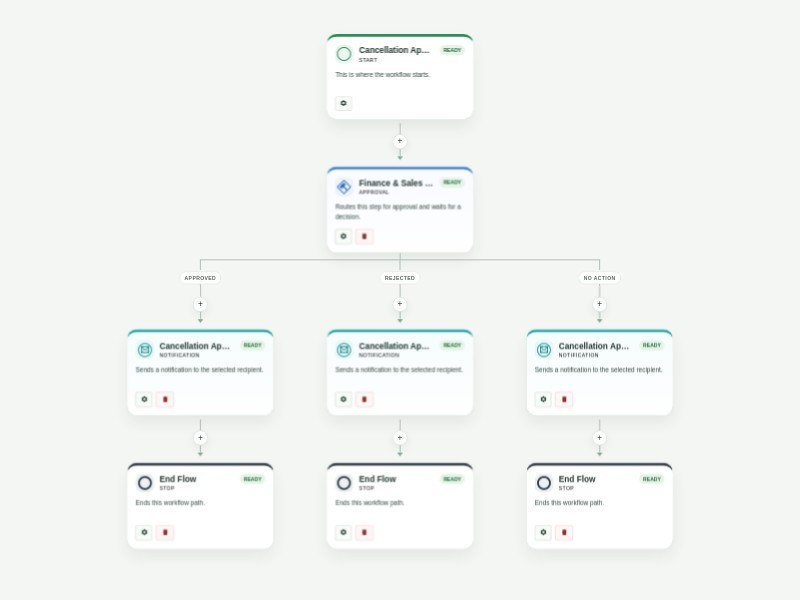
Use Template Preview Cancellation Approval Process Template Get order cancellation requests through your website and respond to them immediately with AbcSubmit's free Cancellation Approval Process Template. When a customer cancels their order through your website’s order cancellation form, the related departments like finance and sales in the approval flow will receive their submission and decide whether to approve or reject it. Based on the final decision, an automated confirmation or rejection email will be sent to the customer regarding their order status. You shouldn’t have to cancel your plans to create a better order cancellation process. Luckily, AbcSubmit's drag-and-drop interface makes it fast and easy to update this Cancellation Approval Process Template for your online store. Without any coding, you can fully customize the order cancellation form to meet your needs, assign different people to the approval flow, create new conditions and autoresponder emails, and more. Use our Cancellation Approval Process Template to manage your approval flow, track cancelled orders, and keep customers happy!
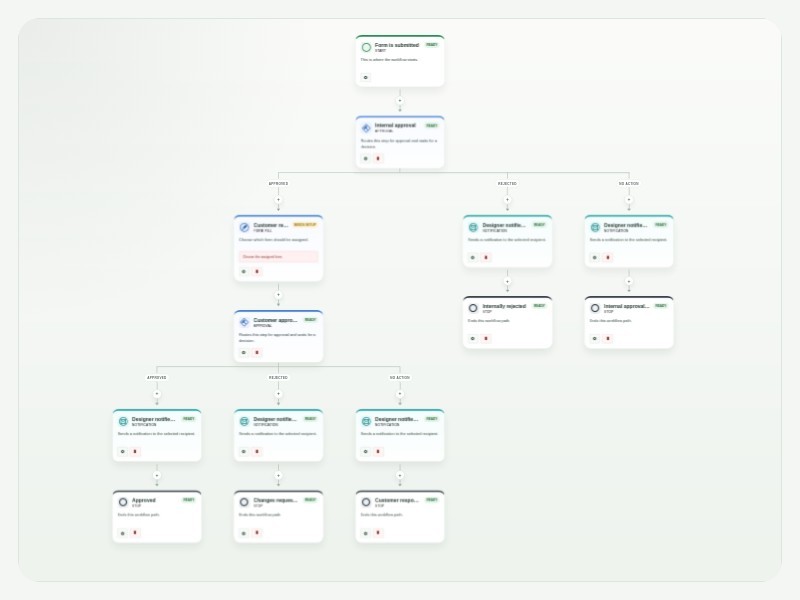
Use Template Preview Design Approval Process Template The Design Approval Process Template makes it easier to review, approve, and track creative work from start to finish. It gives design teams a clear process to follow, keeps everyone involved in the loop, and creates a record of each approval along the way. With Flux Builder, designers can submit their work through a customizable form and automatically send it to the right people for review. For example, a project lead can review the design first, followed by the design director, before the approved work is sent to the client. Once a decision is made, the designer can automatically receive an update letting them know whether their work was approved or needs changes. You can customize the workflow to match the way your team works. Add or change approvers, create extra review steps, set conditions for different types of projects, and personalize notifications. Tasks and approvals can also be tracked in one place, making it easy to see what’s waiting for review and what has already been completed. By automating these steps, your team can spend less time chasing feedback and managing approvals manually, while keeping designers, stakeholders, and clients aligned throughout the process.
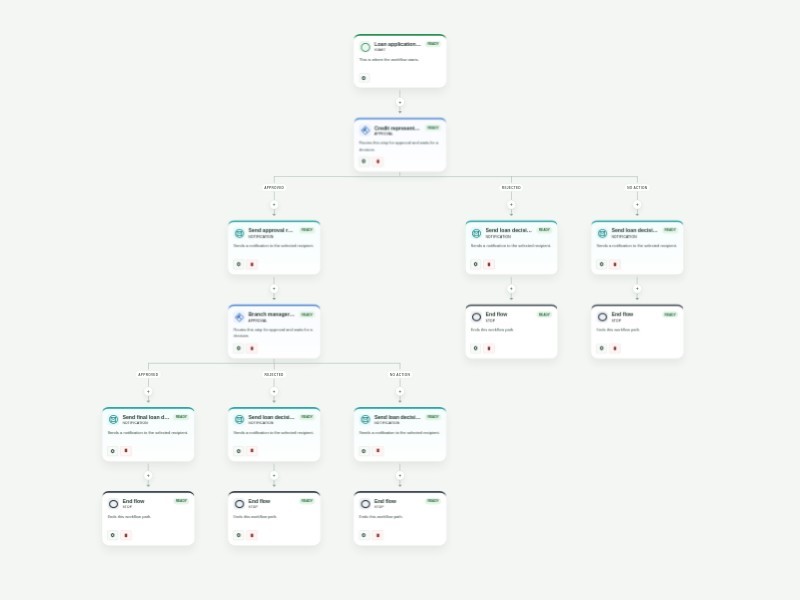
Use Template Preview Business Loan Pre-Approval Process Template Streamline business loan pre-approval with a structured application and a clear two-stage review. The form captures applicant contact details, business and project information, financial background, requested loan details, supporting documents, and authorization for review. Applications first go to a credit representative. Approved applications are forwarded to a branch manager for the final decision, while declined applications receive a decision email. The final outcome is sent to the applicant automatically. Customize the reviewer addresses, approval timing, notification copy, and required application fields for your lending process. Workflow history keeps each decision visible and auditable.
Use Template Preview Purchase Order Approval Template Keep purchase order requests moving with a clear, repeatable approval process. This template collects office supply requests, routes them through department and finance review, and gives each approver the context needed to make a confident decision. After the first review, the requester completes vendor, cost center, item, and delivery details in a linked purchase order form. The completed request then goes to final COO approval, while automatic updates keep the requester informed when a request is denied, overdue, or approved. Customize the approver email fields, request questions, approval timing, and notification messages to match your purchasing policy. Use the workflow activity history to see where each request is waiting and maintain an auditable record of every decision.